AzusaKaijiExpress app icon

AzusaKaijiExpress

Limited Express Departure & Arrival Countdown App

Download on the App Store

A dedicated timetable for Azusa and Kaiji limited express trains

Check departure times and the time remaining until departure with one tap.
View departure and arrival times, platform numbers, time remaining until departure, and the current position of a train in motion—including the precise time to your arrival station.
Ideal for commuting, school trips, and travel.
Landscape train progress view

Key Features

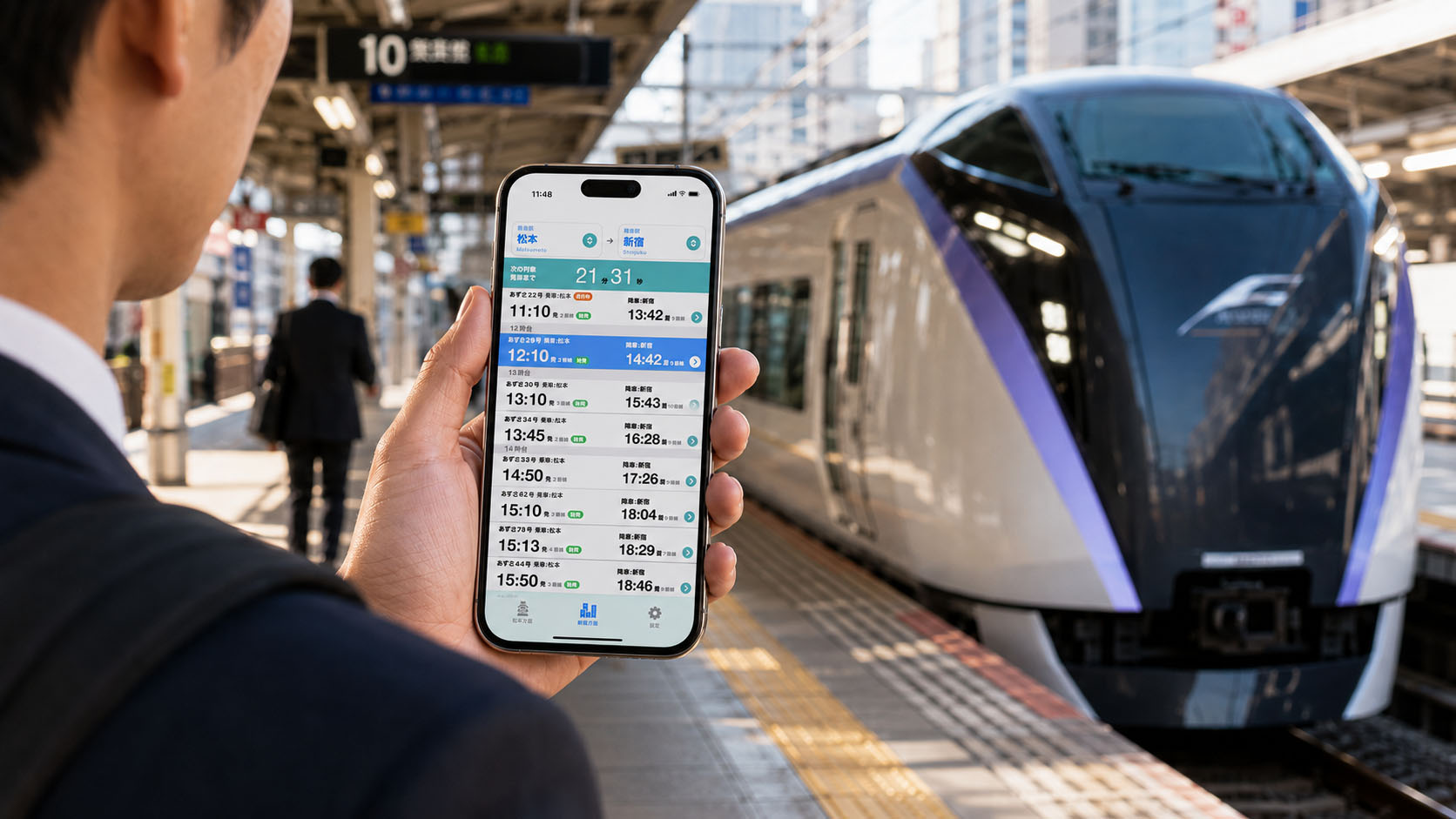
Checking AzusaKaijiExpress on an iPhone

Two Countdown Modes: Departure and Arrival

Getting Started

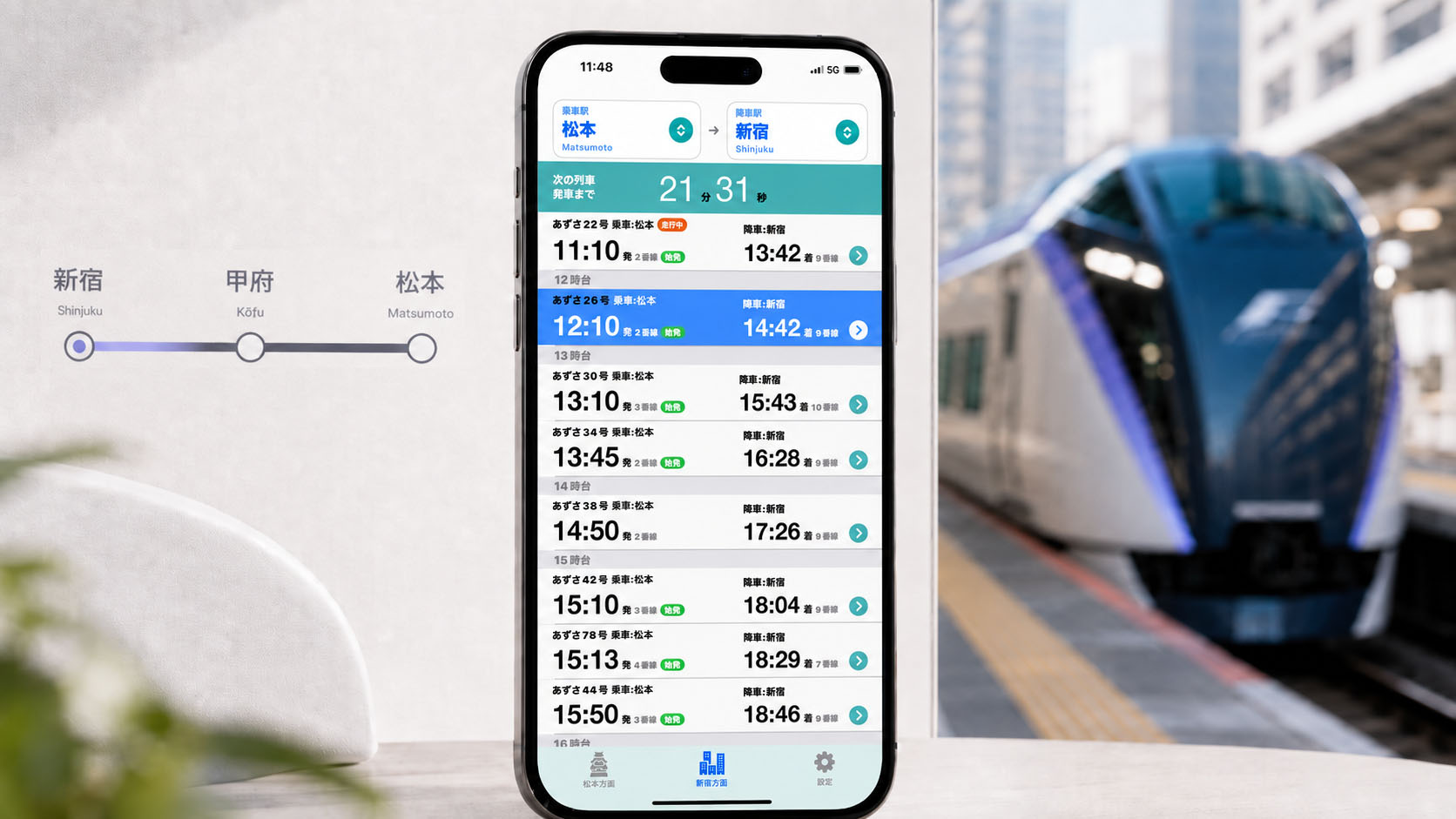
  1. Choose a direction: Use the tabs at the bottom to select either Matsumoto-bound services (toward Shinjuku, Kofu, Matsumoto, and Hakuba) or Shinjuku-bound services (toward Matsumoto, Kofu, Shinjuku, and Chiba).
  2. Select your stations: Tap the top of the screen to choose boarding and alighting stations. Available stations are automatically narrowed down by direction. The default is Shinjuku–Matsumoto.
  3. Check your train: Each row shows the train name, times, and platform. Trains that have already departed or arrived are automatically dimmed.

⏱ Departure Countdown

The top of the screen continuously shows the remaining time to the earliest train that has not yet departed, down to the second. The next train is highlighted in light blue. You can also tap another train to start an individual countdown; when it departs, the app automatically returns to the latest available train.

🍊 On-board Arrival Countdown

Tap a train that is already running to switch to the warm-toned On-board Mode. The top of the screen changes to an “until arrival” countdown and counts down to your destination in real time. Overnight and early-morning trains that cross midnight are also handled accurately.
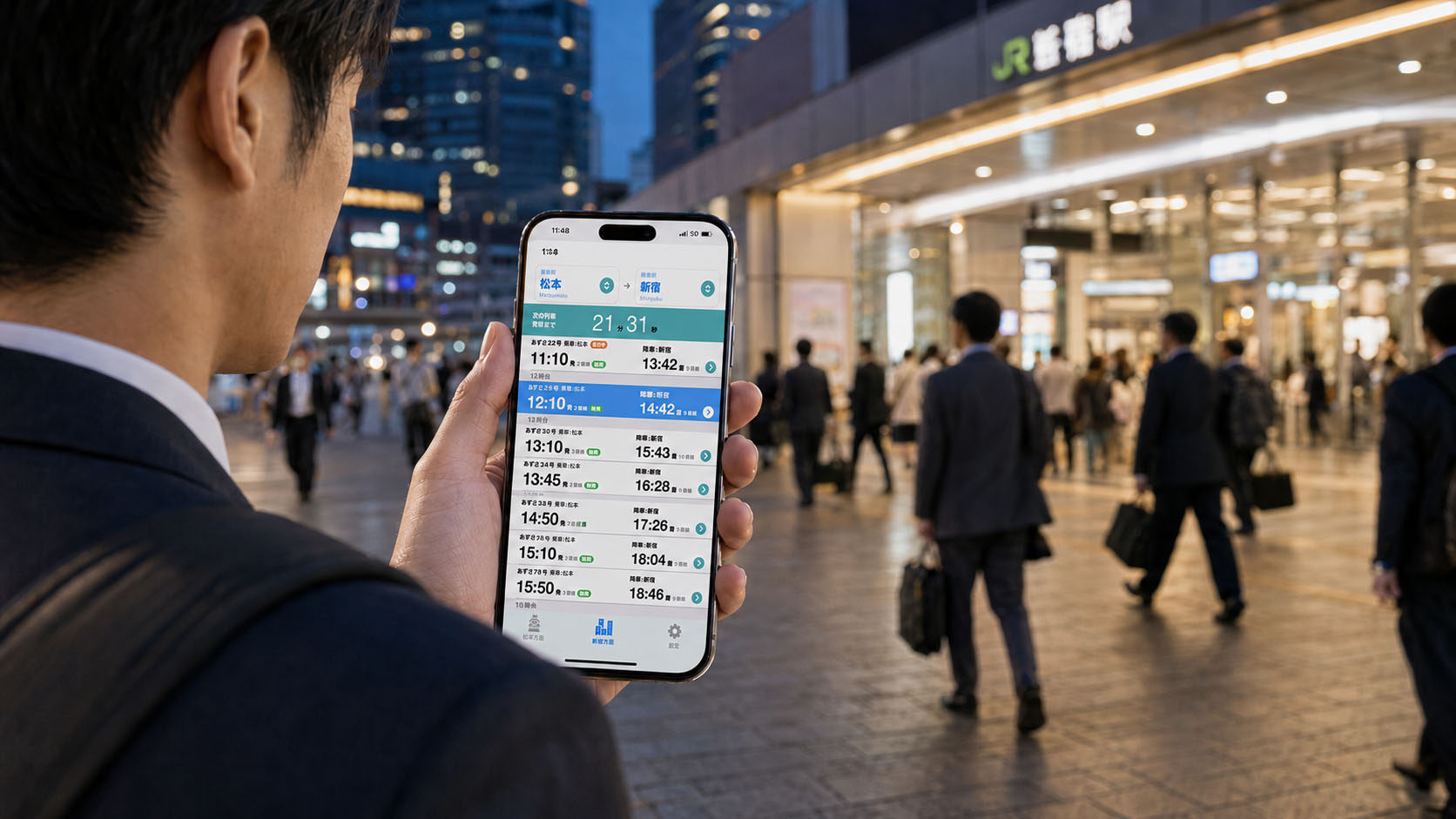
Using AzusaKaijiExpress in front of a station

Landscape Train Progress View (On-board Mode Only)

While in On-board Mode, rotate your phone sideways to instantly switch to a full-screen view dedicated to the train in motion.
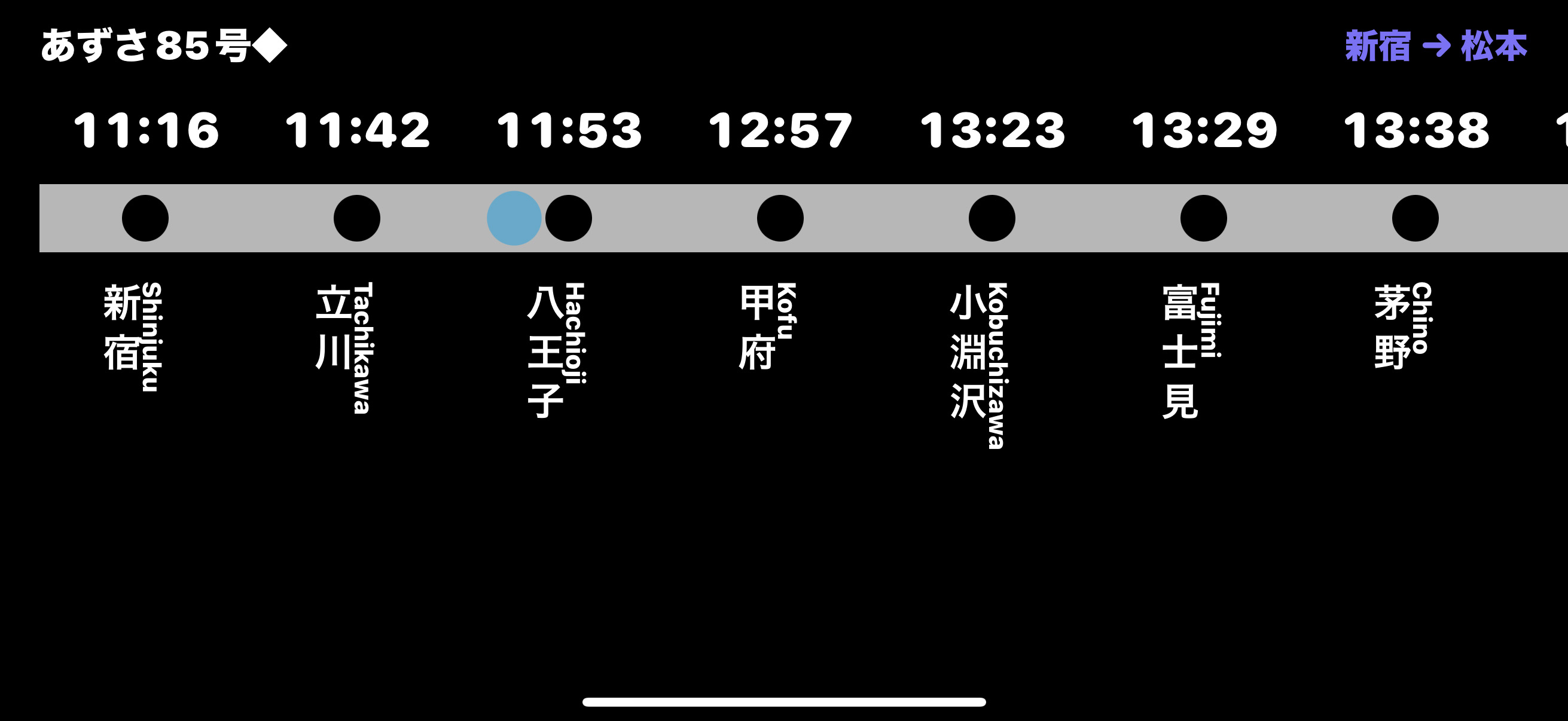
Landscape train progress view

Check the train position and times for every stop in landscape view.

Train Details & Automatic Service-Day Selection

Detailed Train Timetable

Tap the “>” button on the right of any train to see an accurate list of every stopping station and time from its origin to its terminus. A train marked with “◆” has special operating-day requirements; details are shown at the bottom of its detail screen.

Service Days (Calendar-linked)

The app automatically selects the weekday or weekend/holiday timetable according to today’s date or the date you choose.
Weekends and holidays include Saturdays, Sundays, Japanese national holidays, substitute holidays, citizens’ holidays, and the year-end/New Year period from December 29 through January 3.

Before You Use the App

  • This app is not created by JR East.
  • Times, platform numbers, and service days may change. Always check official information from JR East and other operators for the latest, accurate service status.
  • This is a timetable-viewing app. It does not provide route search, transfer guidance, or optimal-route planning.
  • If platform information is unavailable in the timetable data, the relevant platform field will be left blank.
  • Advertising: To keep this app free, ads may appear on parts of the Matsumoto-bound, Shinjuku-bound, Settings, and detail screens. Full-screen ads may also appear while changing screens.

OTHER APP

Create a one-of-a-kind calendar easily with your favorite photos!
iPhone wallpaper creation is also supported.

The same developer also offers Photo Calendar Print Mobile for iPhone and iPad, and Photo Calendar Print for Mac. The free Lite editions let you try calendar designs and printing at home.
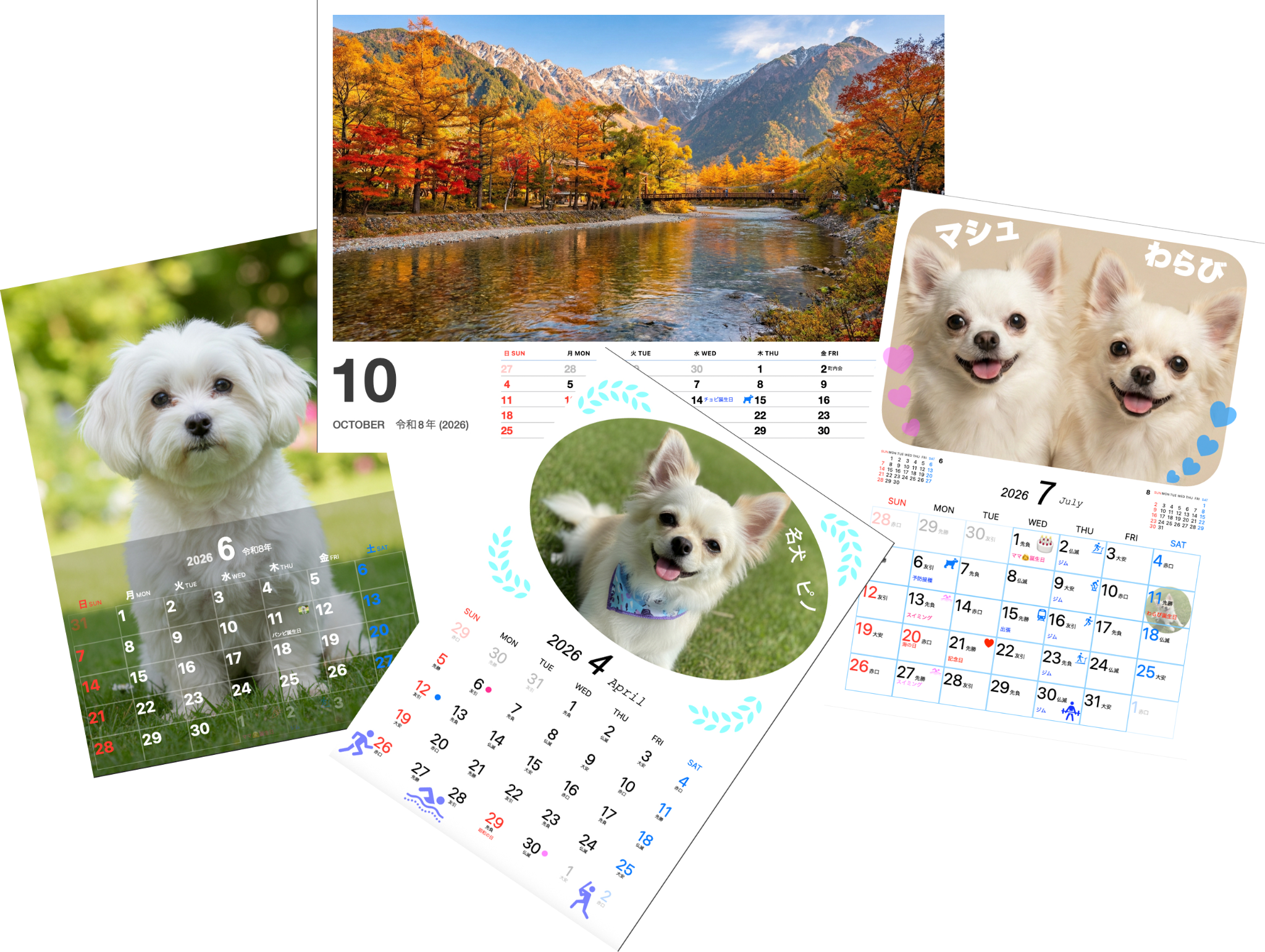

Photo Calendar Print Mobile icon

Photo Calendar Print Mobile

For iPhone & iPad

Examples of the many calendar formats available in Photo Calendar Print Example of a desk calendar made with a photo
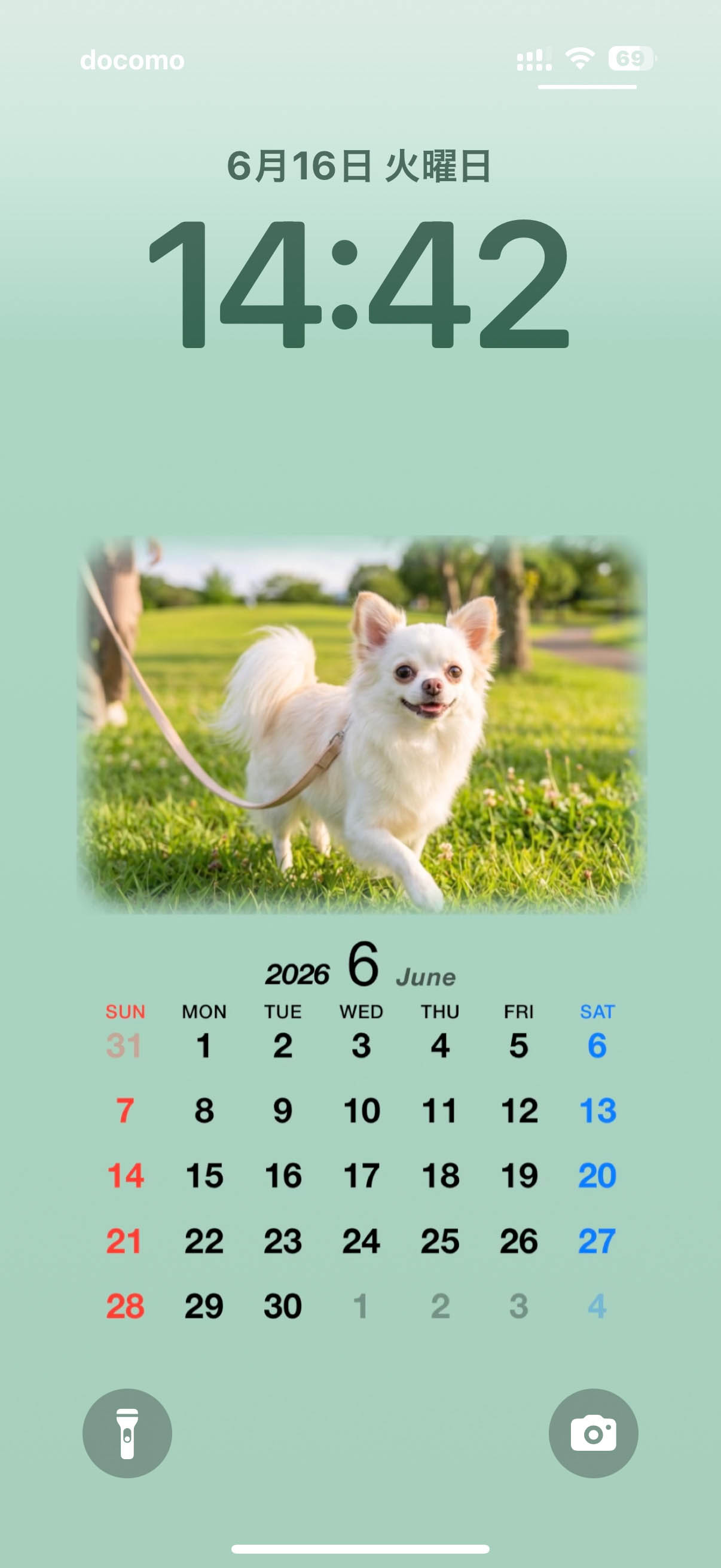
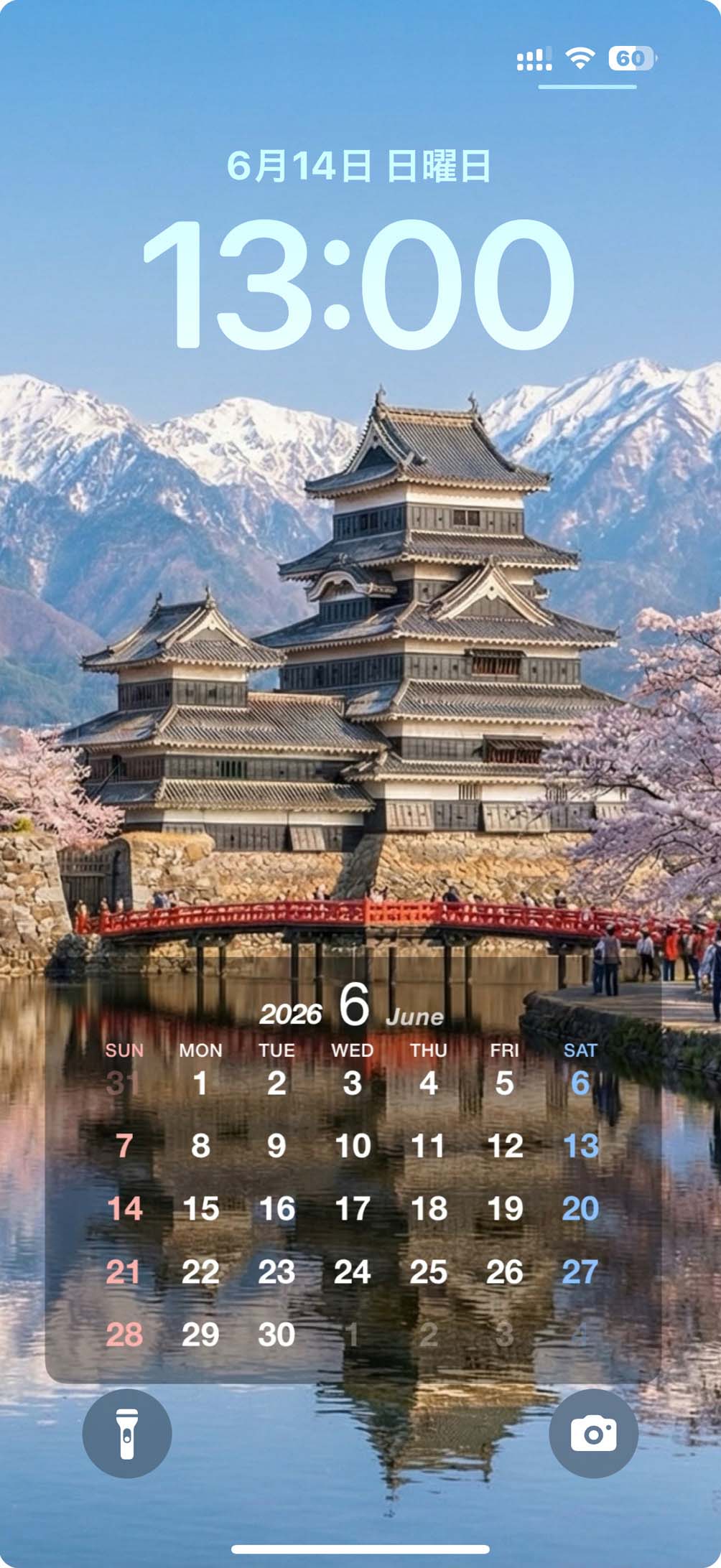
iPhone wallpaper calendar made with a pet photo iPhone wallpaper calendar made with a photo of Matsumoto Castle

Train Timetable Apps

Nagano–Yudanaka Train Timetable icon

Monkey Train

For iPhone

Kamikochi Line Train Timetable icon

Kamikochi Line Train Timetable

For iPhone

Nagano Train Timetable icon

Nagano Train Timetable

For iPhone